
How Google App Campaigns Work, and Which Levers You Actually Control

The short answer
Google App Campaigns are highly automated. You set the goal, budget, conversion events and assets. Google decides placements, asset combinations and real-time bids. In our experience, the main levers you control are the in-app events you optimize for, bid targets (including value-based bidding), ad groups with different assets, and budget. Without clear events, campaigns often deliver mostly installs.

Contents
Google App Campaigns promote apps across Search, Google Play, YouTube, Discover and the Display Network. For related measurement topics, see our guide on iOS attribution and MMP data. For full campaign management, see our mobile app marketing services.
How do Google App Campaigns work?
You choose a campaign subtype (App campaigns for installs, for engagement, or for pre-registration on Android), set a budget and goal, and upload assets. Google assembles ads from your text, images, videos and store listing assets, then serves them across its inventory. The system optimizes toward the goal you select.
There are three main subtypes: App campaigns for installs (ACi), App campaigns for engagement (ACe), and App campaigns for pre-registration (ACPre, Android only).
What this means for your decision: Treat the campaign as a system you guide with clear goals and assets, not a campaign you manage placement by placement.
Which levers do you actually control?
These are the main levers available:
- In-app events and optimization goal - Choosing which events the campaign optimizes for (installs, a specific in-app action, or value). This is one of the strongest ways to influence user quality.
- Value optimization - Bidding for revenue with target ROAS or Maximize conversion value, rather than just installs. This requires clean event and value tracking.
- Budget - Average daily budget. Google’s best practices recommend a budget of at least 50 times the target CPI for install campaigns, and at least 10 times the target CPA when you optimize for in-app actions.
- Bid strategy and targets - Target cost per install (tCPI), target cost per action (tCPA), target ROAS, or Maximize conversions. You set the goal or target; the system bids to reach it.
- Creative assets and ad groups - You can create ad groups with different sets of assets (text, images, videos). Stronger or more relevant ad groups can influence which audiences the system finds.
- Geographic targeting and language - You can include or exclude locations and set languages.
- Audience signals - Optional signals you can provide; the system is not limited to them.
In our experience, selecting the right in-app events and optimizing for value has a larger impact than most other settings. Doing this well requires understanding which events actually predict long-term value. Without that, campaigns often deliver mostly low-quality installs. In our experience, this is where experienced campaign management makes the biggest difference once budgets are meaningful.
What this means for your decision: Focus first on the events you optimize for, clear value signals, and ad groups. These are the areas where your input changes user quality most directly.
What does Google control?
Google controls most day-to-day decisions:
- Which placements ads appear on.
- Which combination of your assets is shown to each user.
- Real-time bidding for each impression.
- How traffic is allocated across Search, YouTube, Display and Play.
You can see performance by placement and asset in reports, and you can exclude unwanted placements at the account level. You cannot choose placements or force a specific creative combination.
What this means for your decision: Review reports to understand what is working, then improve the inputs (especially events, creatives and targets) rather than trying to override the automation.
When is more control not the answer?
More manual control is not the answer when the main issues are the wrong events, weak creatives or missing value tracking. Switching campaign types rarely fixes an optimization goal that only drives installs.
If measurement is the real constraint, start there. A review of your attribution setup often reveals bigger opportunities than adjusting campaign settings.
What this means for your decision: If results are mostly low-quality installs, check the events and value signals first.
What should you check before scaling?
Before increasing budget, check:
- Whether you are optimizing for the right in-app events (not just installs).
- Whether value tracking is clean and reliable.
- Whether your creative assets and ad groups are varied.
- Whether your bid target is realistic compared to recent performance.
- Whether conversion tracking is working (including on iOS).
- Whether you have enough conversion volume for the system to learn.
- Geographic performance so you are not scaling weak markets.
What this means for your decision: Scaling a campaign that optimizes only for installs usually increases volume without improving quality or value.
FAQ
No. Google decides where ads appear. You can exclude unwanted placements with account-level exclusions and review performance by placement, but you cannot pick placements the way you can in other campaign types.
Choose the right in-app events and optimize toward them, or toward value. In our experience, this is the main way to influence user quality. It requires clean tracking and a good understanding of the system.
Yes. You can create ad groups with different sets of assets. Stronger or more targeted ad groups can influence which audiences the system finds, even though Google still decides the exact combinations.
Yes. Google recommends a diverse mix of text, images and videos so the system can test combinations across placements.
Common reasons include optimizing only for the install event, weak value tracking, or not enough data on deeper events. The system needs clear signals beyond the install to find higher-value users.
What to do next
Not sure which events or levers to use in your Google App Campaigns?
Talk to our team. We will look at your setup and tell you where we would start.
Talk to our teamRelated Articles
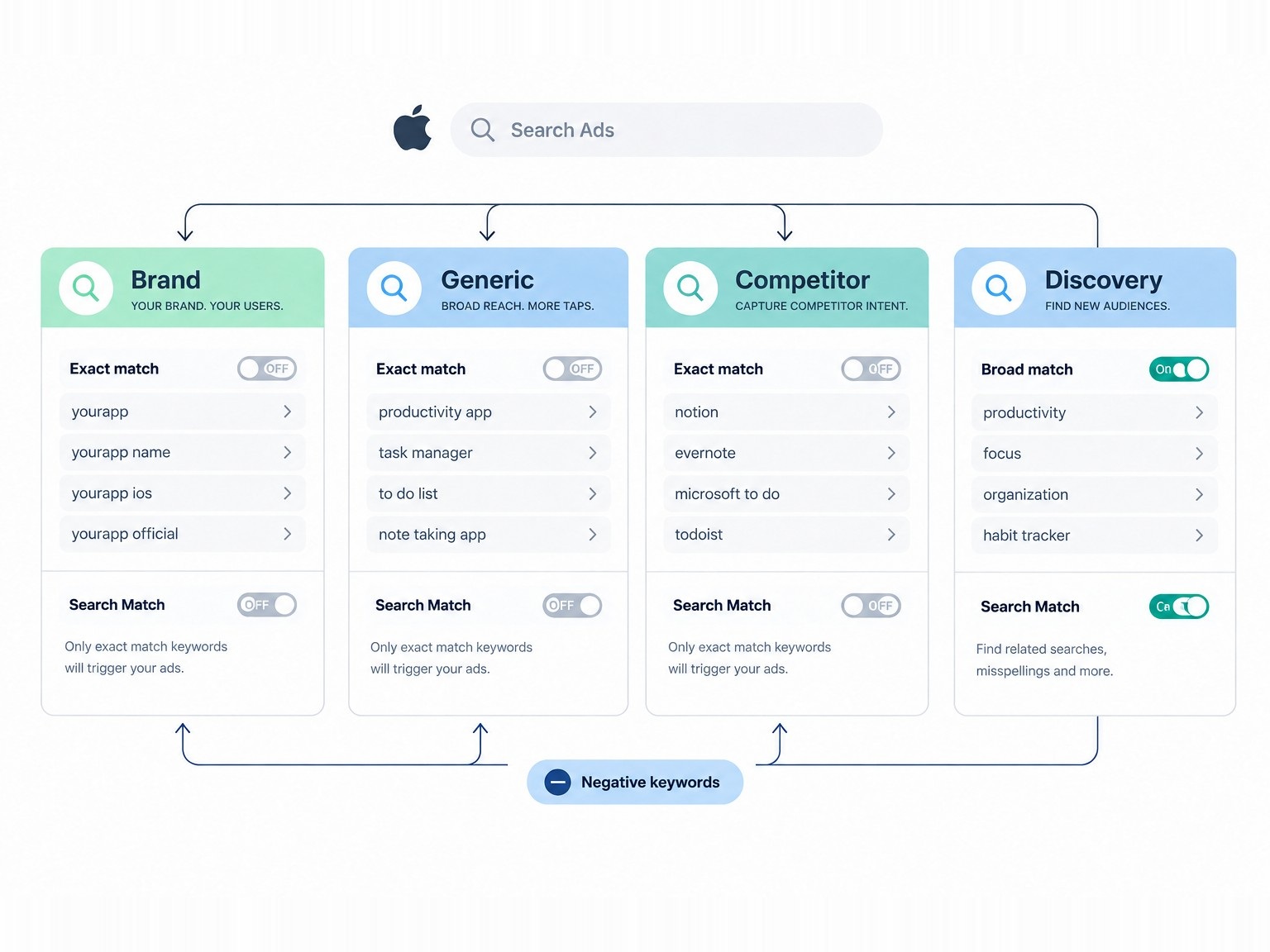
How to structure Apple Search Ads: brand, generic, competitor and discovery
November 23, 2026
How to structure Apple Search Ads into brand, generic, competitor and discovery campaigns, plus when management tools help and what the free plans cover.
Read More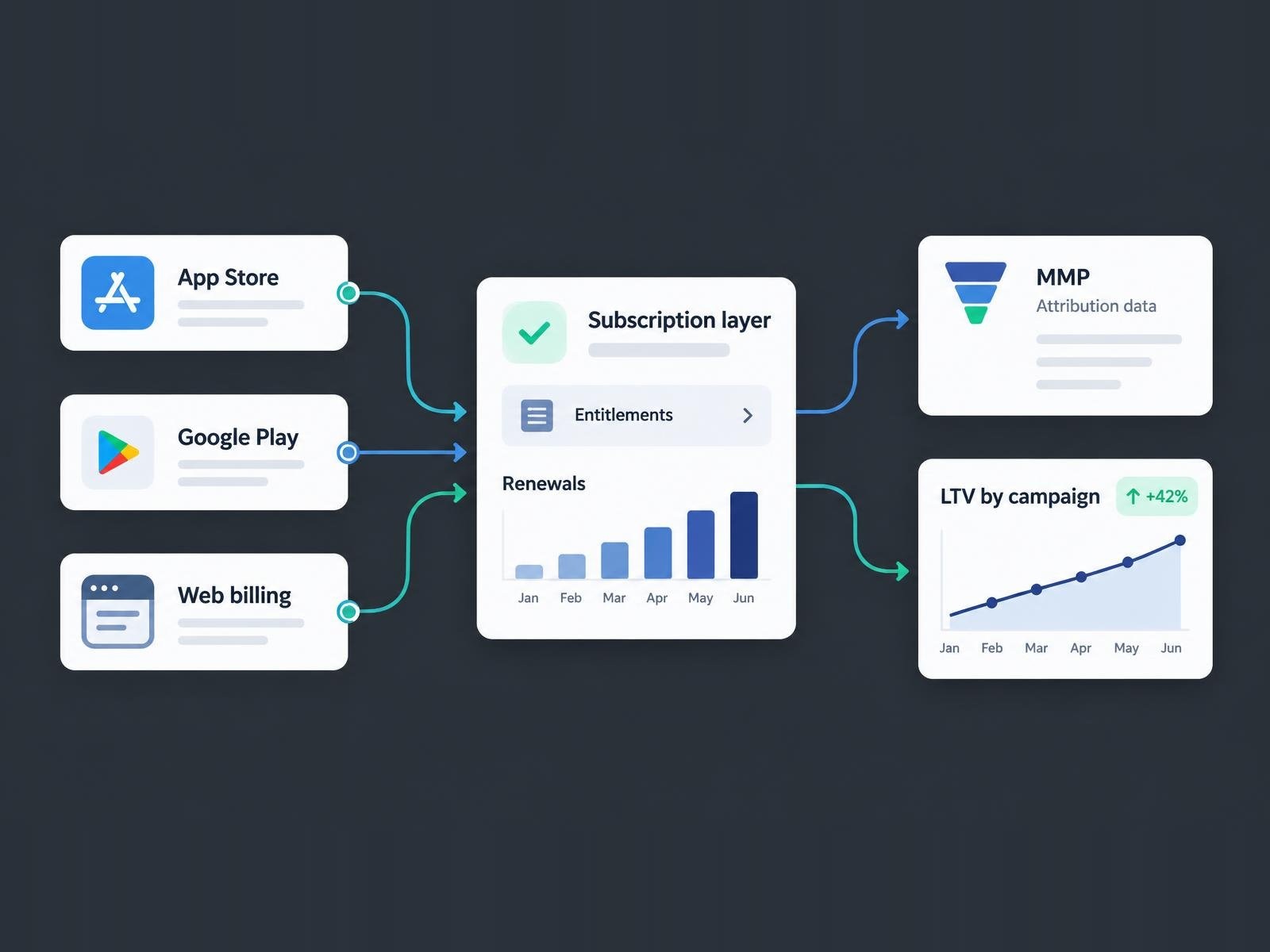
What is RevenueCat and Why Is It a Powerful Tool for Apps?
November 23, 2026
What RevenueCat does for apps, why the cross-platform subscription layer matters, how pricing works, and when it is the right choice.
Read More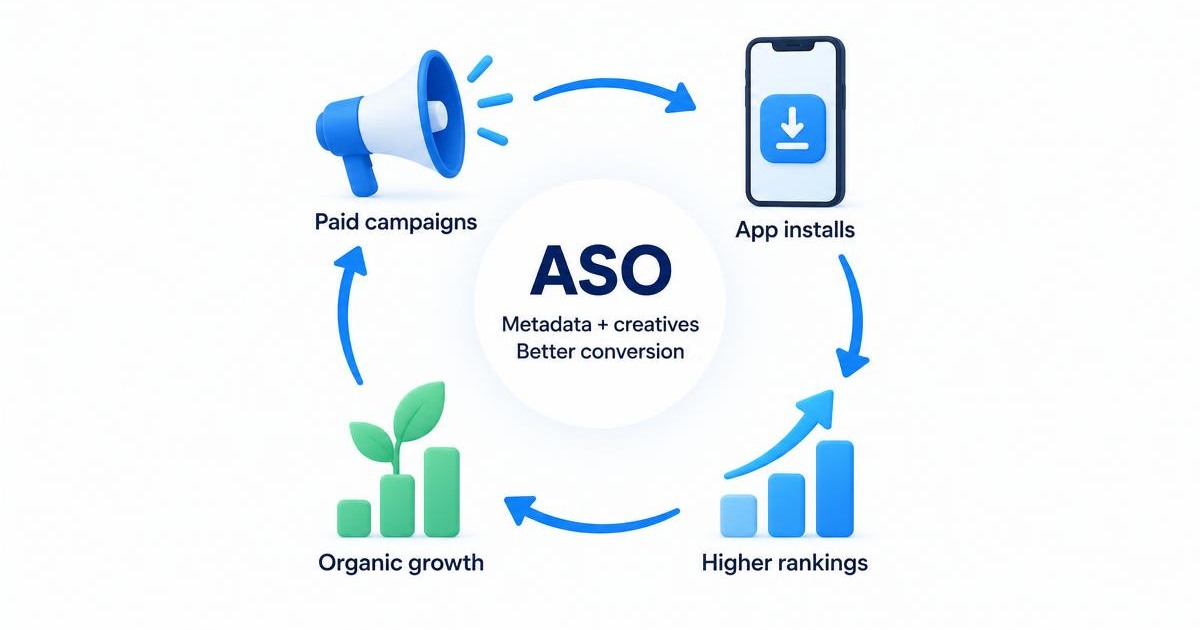
How to Increase Organic Installs with Metadata, Creatives and Paid Data
November 14, 2026
How app store metadata, screenshots, ratings and paid campaigns work together to increase organic installs on the App Store and Google Play.
Read More