
What Are the Best ASO Tools for App Growth?

The short answer
The best ASO tools depend on the specific gap that is limiting your organic installs. In our experience, AppTweak is a strong all-round choice for keyword research and rank tracking. Sensor Tower is mainly useful when you need broader market intelligence. AppFollow is strongest when review volume is high. Most teams should begin with Apple and Google’s free tools before adding a paid platform.

Contents
ASO tools help you understand how people find and evaluate your app in the App Store and Google Play. They do not create growth on their own. They give you better information so you can decide what to change in your listing, keywords, creatives and reviews. To see how listing changes drive organic installs, read our guide. For hands-on help, see our App Store Optimization services.
What should an ASO tool actually do?
A useful ASO tool should help with at least one of these jobs:
- Find keywords that people actually search for in your category and markets.
- Track how your app ranks for those keywords over time.
- Show what competitors rank for and how their listings look.
- Help you manage and reply to reviews.
- Support testing of icons, screenshots or other listing elements.
Most tools cover more than one of these areas, but they are rarely equally strong at all of them. The right choice depends on which gap is currently limiting your organic installs.
What this means for your decision: Start by naming the specific problem you want the tool to solve. Buying a platform because it is popular usually leads to unused features and higher cost.
Which ASO tools are commonly used?
These are the platforms that appear most often in serious app teams:
- AppTweak - In our experience, a strong all-round choice for keyword research and rank tracking across many countries. Useful when you need reliable data to update listings regularly.
- Sensor Tower - Better for market-level intelligence, download estimates and competitive landscape. Often more expensive and usually overkill if your main need is day-to-day listing work.
- AppFollow - Strongest for review management and sentiment tracking. Helpful when review volume is high and replies affect ratings.
- App Radar - Practical for teams that want keyword tracking together with the ability to edit and publish listing changes.
- MobileAction - Often chosen when you also run Apple Ads and want ASO and paid search data in one place.
- Appfigures - Lower-cost option that combines basic ASO tracking with your own sales and analytics data.
App Store Connect and Google Play Console give you free store analytics and listing tests (Product Page Optimization on iOS, store listing experiments on Google Play). Check which keyword data each one currently shows before you rely on it.
What do the free plans and paid packages include?
- AppTweak - 7-day trial, no free plan. Essential starts at $79/month billed annually ($949 a year) and covers 500 keywords and 5 apps. Higher plans raise the keyword limit to 1,500 and 3,000.
- AppFollow - Free plan for up to 2 apps, including keyword tracking, 10 competitors and 100 manual review replies a month. An ASO add-on starts at $19/month billed yearly. 10-day trial.
- App Radar - 7-day trial with a card, no free plan. Essentials is €58/month billed yearly (€69 billed monthly) and covers 500 keywords.
- Appfigures - Free Starter plan. Keyword tracking starts at the Monitor plan, $44.99/month billed monthly ($35.99 billed annually), with 100 keywords.
- Sensor Tower and MobileAction - Ask the vendor for current pricing.
What this means for your decision: Budget for the paid tier that matches the number of apps and keywords you actually need. A free tier is a test, not a full solution.
How do you choose the right tool for your situation?
Match the tool to the work that will move organic installs:
- If you need better keywords and rank tracking: AppTweak or App Radar.
- If review volume is hurting your rating: AppFollow.
- If you want market context and competitor benchmarks beyond your own category: Sensor Tower.
- If you also run Apple Ads and want one view: MobileAction.
- If budget is limited and you mainly need tracking: Appfigures or the free store tools.
In our experience, AppTweak covers the core ASO work for most apps without forcing you into enterprise pricing.
What this means for your decision: The best tool is the one your team will actually open and act on. A simpler tool used weekly is better than an expensive one that sits unused.
When is a tool not the answer?
If your listing already targets the right keywords and installs still do not grow, the cause is often in the listing itself: the screenshots, the rating or the share of visitors who install. A tool can show you the gap but cannot close it. An ASO audit of the listing often saves more time than another subscription.
What this means for your decision: If your listing and creatives are not clear, start there before investing heavily in tools.
What should you check before you buy?
Before committing, check these points:
- How many keywords and apps you can track on the plan you are considering.
- Whether the tool covers the countries and languages you care about.
- How easy it is to export data or connect it to your existing reporting.
- Whether the free or trial version already shows you useful information.
- Total cost once you add the number of users and markets you need.
Prices and limits change. Always verify current numbers on the vendor’s site before deciding.
What this means for your decision: A tool that looks good in a demo can become expensive or limited once you apply it to your real portfolio and markets.
FAQ
Not always. Start with App Store Connect and Google Play Console. Add a paid tool when free data is no longer enough to decide what to change in your listing.
When you need market-level data such as category trends and competitor download estimates, not only day-to-day listing work. For ongoing ASO work, a dedicated ASO tool is usually enough.
No. They give you better information. The installs come from the changes you make to keywords, creatives and reviews based on that information.
Most teams do better with one main tool plus the free store consoles. Multiple paid tools usually create overlapping data and higher cost.
Usually not. Free tiers are good for testing, but keyword limits and features are tight for ongoing optimization across markets.
What to do next
Not sure whether a tool is what your app needs?
Talk to our team. We will look at your listing and tell you where we would start.
Talk to our teamRelated Articles
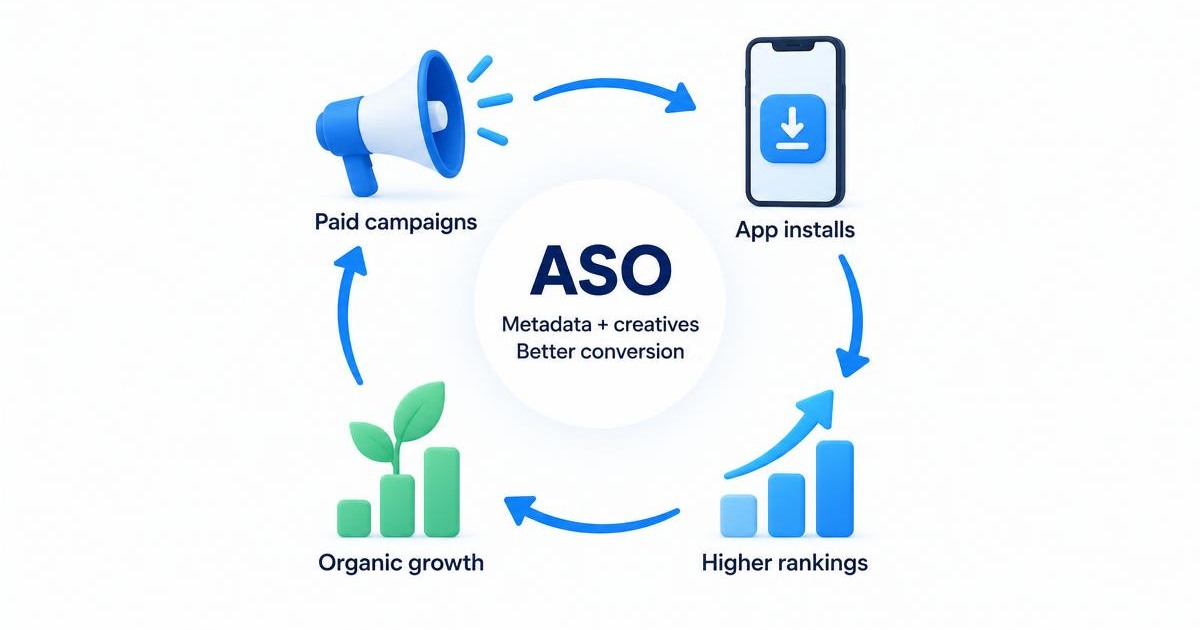
How to Increase Organic Installs with Metadata, Creatives and Paid Data
November 14, 2026
How app store metadata, screenshots, ratings and paid campaigns work together to increase organic installs on the App Store and Google Play.
Read More
Top ASO Tools in 2026, Broken Down by What They Actually Do Well
April 28, 2026
In today's competitive app market, succeeding in the App Store and Google Play demands more than basic keyword stuffing.
Read More