
Should You Move a Site from Wix or WordPress to an AI-Built Website?

The short answer
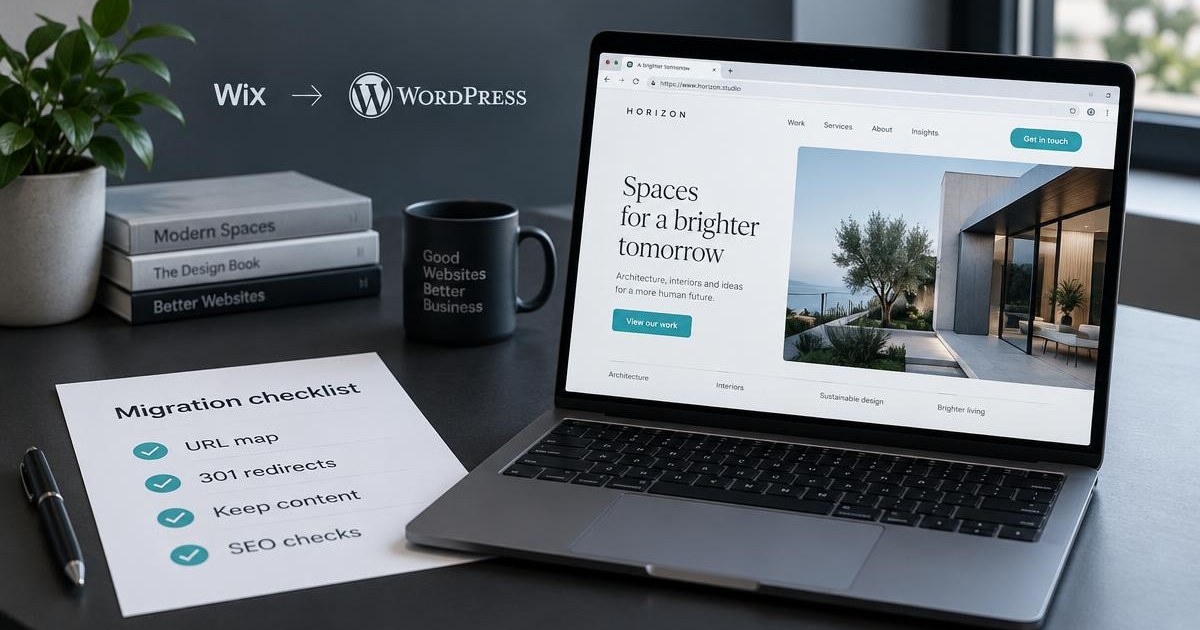
Move only if the current platform is limiting speed, flexibility, or functionality enough to justify the work. A well-executed move can improve performance and control while keeping rankings. A rushed one loses traffic. The decisive factors are a complete URL map with permanent redirects, preserved ranking content, and post-launch monitoring.
Contents
A platform change is a technical move, not a redesign. Rankings follow URLs and content, not the tool that hosts them.
Is moving from Wix or WordPress worth it?
It is worth it when the current site is hitting clear limits:
- Page speed or Core Web Vitals that cannot be fixed inside the platform
- Need for custom functionality (user accounts, complex forms, integrations, or app-like features)
- Large or growing content that is hard to manage or scale
- High ongoing costs relative to the control you get
- Design or technical constraints that block campaigns or conversions
It is usually not worth it for a simple brochure site that already ranks and converts, or when the team cannot maintain the new stack. Many Wix and WordPress sites improve more from better content and technical fixes than from a full rebuild.
What this means for your decision: Treat the move as a business project with a clear payoff, not a technology upgrade for its own sake.
What are the real advantages?
An AI-assisted or modern custom build can deliver:
- Faster load times and better Core Web Vitals when the new site is properly rendered and hosted
- Full control over URLs, schema, canonicals, and technical SEO
- Ownership of the code (especially with tools that export to GitHub)
- Ability to add custom features without plugin or platform limits
- Cleaner long-term maintenance when the site is not locked into one vendor’s constraints
The gain is not automatic. A poorly built AI site can be slower or less crawlable than a well-configured WordPress or Wix site.
What this means for your decision: The advantage is control and performance ceiling, not the AI label itself.
What must you do before you move?
Do this work first:
- Record baseline performance: organic traffic, rankings for key pages, top landing pages, and conversions.
- Create a full URL inventory from a crawl, Search Console pages with impressions, analytics landing pages, and the current sitemap.
- Decide for every URL whether to keep it, merge it, or retire it.
- Export or copy all ranking content, titles, meta descriptions, headings, and structured data.
- Check current Core Web Vitals, internal linking, and any existing technical issues.
- Confirm the new platform can support the same or better URL structure where it matters.
Skipping the inventory is the most common cause of ranking loss.
What this means for your decision: The migration succeeds or fails in the planning phase, not on launch day.
How do you keep existing SEO rankings?
Rankings transfer when Google can find the same content at addresses it already trusts, or when permanent redirects point to the closest equivalents.
Required steps:
- Map every old URL that has traffic, impressions, or backlinks to one new URL with a single-hop 301 or 308 redirect.
- Preserve the content, titles, headings, and meta of ranking pages (improve them deliberately, do not thin them out).
- Update internal links to point to final URLs, not through redirects.
- Remove any noindex or robots.txt blocks from the new site at launch.
- Submit the new sitemap in Search Console and monitor coverage, clicks, and errors for at least 8-12 weeks.
- Also check that AI crawlers can access the site (robots.txt and server responses matter for AI visibility).
Google’s guidance is that permanent redirects pass ranking signals. Temporary redirects or mass redirects to the homepage do not. Expect fluctuation for several weeks even with a clean move.
What this means for your decision: Budget time and attention for the redirect map and post-launch checks. These protect the equity you already have.
For AI visibility beyond a migration, see how to get ChatGPT and Google Gemini to mention your business.
Which AI platforms are worth considering?
The right choice depends on whether you need a marketing site, an app-like product, or both.
Strong options include:
- Lovable - Generates working sites and web apps from prompts, with code export to GitHub and server-side rendering on newer projects. Suited to teams that want ownership and custom features.
- Base44 - Builds full applications with backend, database, and authentication from prompts. Useful when the site needs user accounts or internal tools.
- Framer - Strong for polished marketing sites with visual control and solid SEO features.
- Webflow - Better for teams that need CMS, roles, staging, and deeper design control.
- Other code-oriented tools (Bolt.new, v0, etc.) when the project is closer to an application than a brochure site.
Pure AI generators that lock you into a subdomain or limit crawlable content are weaker for sites that already rank. Prefer platforms that let you own the code or host on infrastructure you control.
What this means for your decision: Match the platform to the complexity of the site. Marketing pages can live on Framer or Webflow. Sites that need custom logic often fit Lovable or Base44 better.
What does a safe migration process look like?
- Audit and inventory the current site.
- Rebuild or recreate pages on the new platform while preserving ranking content.
- Build and test the full 301 redirect map on staging.
- Verify titles, meta, schema, canonicals, and internal links.
- Launch with redirects live, remove any staging blocks, and submit the new sitemap.
- Monitor Search Console, rankings, and AI visibility for 8-12 weeks. Fix 404s and broken redirects quickly.
PUBLICO handles migrations that protect existing rankings and improve technical performance and structure at the same time. The goal is to keep the equity you have and raise the ceiling for what the site can rank for next.
What this means for your decision: Treat the move as a controlled transfer of assets, not a fresh start.
FAQ
Not if every important old URL has a permanent redirect to its closest new page and the ranking content is preserved. Losses come from missing redirects or dropped content.
Most clean migrations stabilize within 4-12 weeks. Monitor weekly and fix issues early.
Yes, wherever the new platform allows it. The fewer redirects you need, the lower the risk.
They can be, when the final site is fast, crawlable, and properly structured. The platform matters less than the implementation and the redirect plan.
What to do next
Want a clear recommendation based on your actual channels and spend?
Talk to our team.
Talk to our teamRelated Articles
 PPC
Landing pages and funnel types for Taboola and Outbrain campaigns
November 13, 2026
Landing pages and funnels for Taboola and Outbrain: advertorials, long-form and short-form pages, quizzes, video and lead forms, with examples and a focused test plan.
Read More Ecommerce
7 Key Factors That Can Improve Your Shopify Website
October 23, 2025
Running a Shopify store is more than just setting up products and waiting for sales. To maximize revenue, improve conversions and grow, these factors matter.
Read More