
How to Create Business Videos Yourself: Tools, Setup and Process

The short answer
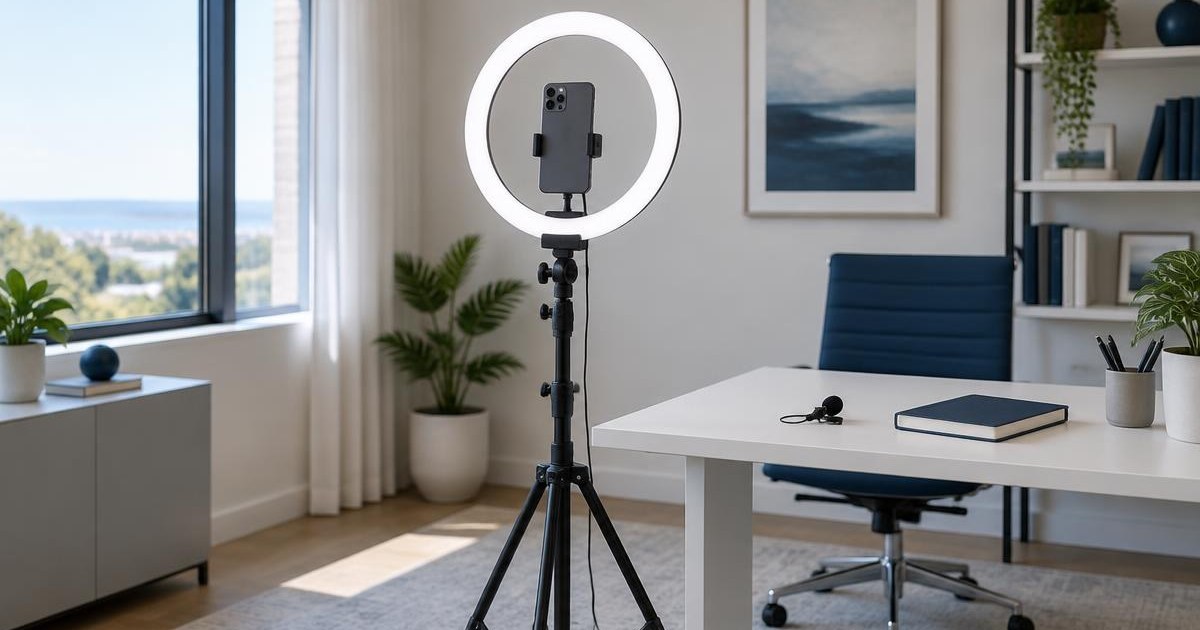
You can produce usable business videos with a recent flagship phone, basic lighting, a stable mount and a short script. Plan the hook and structure first, shoot in controlled light, then edit with free or low-cost tools. AI speeds up captions, cuts and cleanup. For higher-volume or higher-stakes content, a production partner can improve consistency and performance across organic and paid. Publish organic short-form content consistently and adapt strong footage for ads.
Contents
- How do you plan a script and shoot with a strong hook?
- What equipment do you need?
- Should someone else film you?
- Indoor or outdoor?
- What are the best phones, lights, tripods and prompters?
- Which editing tools are free and which are paid?
- How can AI help with editing?
- When should you hire a production company?
- When and where should you publish?
- FAQ
- What to do next
Most businesses do not need a full production crew for regular social and ad content. Consistency and clarity matter more than production value. At a certain volume or complexity, external help becomes the higher-ROI choice.
How do you plan a script and shoot with a strong hook?
Write the script before you pick up the phone. A simple structure works for most business videos:
- Hook (first 1-3 seconds): a problem, surprising statement or clear benefit
- Body: the main point or demonstration in short sentences
- Close: what the viewer should do or remember
Keep talking-head videos under 60-90 seconds for organic social. Longer versions can be cut later for ads. Read the script out loud once to check timing and natural phrasing.
Shoot in short takes. Restart when you stumble rather than trying to fix everything in editing.
What this means for your decision: A clear hook and short structure reduce the number of takes and make editing faster.
What equipment do you need?
The minimum useful kit is:
- A recent flagship phone (iPhone or Samsung Galaxy)
- A tripod or stable mount
- A ring light or soft continuous light
- Optional: a simple teleprompter app or physical prompter
A wireless lavalier microphone improves audio significantly if you speak to camera. Phone audio is usable in a quiet room but shows its limits outdoors or with background noise.
What this means for your decision: Spend first on stability and light. A shaky or dark video is harder to fix than average audio.
Should someone else film you?
Yes, when possible. Having a second person hold or frame the shot lets you focus on delivery and reduces the chance of looking down at the screen. For solo shooting, a tripod with a remote or timer works. Practice a few takes so you are comfortable looking at the lens.
What this means for your decision: A second person improves framing and delivery. Solo is workable with a stable mount and practice.
Indoor or outdoor?
Indoor is more reliable for business content. You control light, background and sound. Outdoor works for location-specific or lifestyle shots but introduces wind, changing light and noise. If you shoot outside, choose an overcast day or open shade and use a windscreen on the microphone.
What this means for your decision: Default to indoor for talking-head and product videos. Use outdoor only when the location adds clear value.
What are the best phones, lights, tripods and prompters?
Current strong options (as of late 2026):
Phones (top 3)
- iPhone 17 Pro / Pro Max - consistent video quality, strong stabilization and good app support for social workflows
- Samsung Galaxy S26 Ultra - strong zoom and Galaxy AI tools for cleanup
- Google Pixel 10 Pro - reliable computational video with less manual work
Ring lights (top 3)
- NEEWER RL-18 (18-inch) - bright, even light with a tall stand
- UBeesize 12-inch kit - good balance of price, brightness and included tripod
- Weilisi 10-12-inch RGB models - useful if you want color options for creative social content
Tripods
A stable phone tripod that reaches eye level is enough. Many ring-light kits include one. Look for a ball head so you can adjust angle quickly.
Prompters
A simple phone-based teleprompter app or a small physical unit (such as a NEEWER or Glide Gear model) keeps your eyes on the lens. Practice so the delivery does not sound read.
What this means for your decision: A current iPhone or Galaxy flagship plus a mid-range ring light kit covers most business needs.
Which editing tools are free and which are paid?
Free options
- CapCut - fast for short-form social, auto captions and basic cuts
- DaVinci Resolve (free version) - full timeline editor with strong color and audio tools
- Built-in phone editors for very simple cuts
Paid options
- CapCut Pro - extra AI features and templates
- Descript - edit talking-head video by editing the transcript
- Adobe Premiere Pro - full professional timeline
- OpusClip - turns long recordings into short vertical clips
Start free. Move to a paid tool when you need transcript editing, higher export quality or faster repurposing.
What this means for your decision: CapCut covers most short social videos. Descript is useful when you record longer talking-head material.
How can AI help with editing?
AI tools reduce repetitive work:
- Auto captions and subtitle styling (CapCut, Descript)
- Removal of filler words and long pauses (Descript)
- Turning long videos into short clips (OpusClip)
- Basic cleanup and reframing
Runway and similar tools can generate supplemental B-roll, but most business videos still rely on footage you shot. Always review AI output for accuracy, especially captions and claims.
What this means for your decision: Use AI for captions, cuts and cleanup. Keep final review on the core message and claims.
When should you hire a production company?
DIY works well for testing ideas, low-volume organic content and simple talking-head videos. A production company becomes worth it in these cases:
- You need a consistent volume of content every week or month
- The videos will run as paid ads at meaningful spend
- You want multiple hooks, lengths and formats from the same shoot
- Your team does not have time to script, shoot and edit reliably
- Previous organic content has underperformed and you need better structure and testing
A production partner can plan scripts and hooks specifically for both organic social and paid ads, shoot efficiently, and deliver versions that convert rather than just look good. The same footage can then be cut for Reels, TikTok, LinkedIn and Meta or Google ads.
What this means for your decision: Start DIY to learn what works. Move to production when volume, paid spend or consistency becomes the bottleneck.
PUBLICO plans and produces video content built for both organic social and paid ads. We structure hooks, scripts and formats so the same shoot supports multiple channels and improves conversion rates.
When and where should you publish?
Organic social (Instagram Reels, TikTok, LinkedIn, YouTube Shorts) works well for short, clear videos. Post when your audience is active; test and keep the schedule consistent rather than chasing exact times.
The same footage can often be adapted for paid ads. For ads, test a few hooks and lengths (15-30 seconds is common). Organic content that already performs well is a strong candidate for paid amplification.
Keep individual videos short enough that viewers finish them. Longer videos can be cut into multiple pieces.
What this means for your decision: Publish regularly on organic channels first. Use high-performing organic videos as the starting point for paid ads.
For creator partnerships, see how to choose and track influencers when part of the budget is brand.
FAQ
No. A recent flagship phone is sufficient for most social and ad content.
Most organic short-form videos perform well under 60-90 seconds. Ads often test in the 15-30 second range.
It is one of the highest-impact purchases for indoor talking-head videos. Natural window light can work if it is soft and consistent.
Yes. The same footage often works for both. Test different hooks and lengths for paid.
When you need consistent volume, the content will run as paid ads, or your team cannot maintain quality and frequency on its own.
What to do next
Want a clear recommendation based on your actual channels and spend?
Talk to our team. We plan and produce video content that works for both organic social and paid ads.
Talk to our team